API Reference
Everything you need to integrate with RagUp
Quick Start
Authenticate, upload documents, and start querying your knowledge base in minutes.
Base URL
Authentication
All API requests require an x-api-key header. Get your key from
API Keys.
Folders
Organize your documents into folders. Each folder scopes the RAG search — queries within a folder only search documents in that folder.
/api/v1/folders
/api/v1/folders
Returns all active folders for the authenticated user.
/api/v1/documents/upload
Upload a document (PDF, TXT, MD, Word .doc/.docx, or CSV). The file is processed asynchronously — text is extracted, chunked, and embedded for RAG queries. Returns 202 Accepted immediately.
Processing Pipeline
Parameters (multipart/form-data)
| Field | Type | Required | Description |
|---|---|---|---|
| file | binary | required | PDF, TXT, Word (.doc, .docx), or CSV. Max size set by server (env MAX_UPLOAD_SIZE, in MB). |
| folderId | UUID | required | Target folder ID |
| metadata | JSON string | optional | Custom key-value metadata for filtering |
| linkedDocumentIds | JSON string (UUID array) | optional | Link this document to existing documents. Array of UUIDs. Creates edges in the document graph. |
| ups | JSON string (string array) | optional | Auto-link groups. Documents with the same UP value are automatically linked after processing. Example: ["projeto-x", "cliente-acme"] |
Example
curl -X POST ${baseUrl}/documents/upload \
  -H "x-api-key: YOUR_API_KEY" \
  -F "file=@document.pdf" \
  -F "folderId=FOLDER_UUID"   -F "linkedDocumentIds=["DOC_UUID_1","DOC_UUID_2"]"   -F "ups=["projeto-x","cliente-acme"]"
const form = new FormData();
form.append("file", fileInput.files[0]);
form.append("folderId", "FOLDER_UUID");
form.append("linkedDocumentIds", JSON.stringify(["DOC_UUID_1"]));

const res = await fetch("${baseUrl}/documents/upload", {
  method: "POST",
  headers: { "x-api-key": "YOUR_API_KEY" },
  body: form,
});

const data = await res.json();
// data.document.id → use to check status
// data.document.status → "processing"
import requests
import json

res = requests.post(
    "${baseUrl}/documents/upload",
    headers={"x-api-key": "YOUR_API_KEY"},
    files={"file": open("document.pdf", "rb")},
    data={
        "folderId": "FOLDER_UUID",
        "linkedDocumentIds": json.dumps(["DOC_UUID_1"]),
    },
)

data = res.json()
# data["document"]["id"] → use to check status
Response 202 Accepted
{
  "message": "Document uploaded and queued for processing",
  "document": {
    "id": "d1e2f3a4-b5c6-...",
    "fileName": "document.pdf",
    "status": "processing",
    "folderId": "f47ac10b-...",
    "ups": ["projeto-x", "cliente-acme"]
  },
  "jobId": "job-uuid",
  "checkStatusUrl": "/api/v1/queue/jobs/job-uuid"
}
Polling: Check GET /api/v1/documents/:id until status changes to "ready". Only then can you query the document.
Document Graph
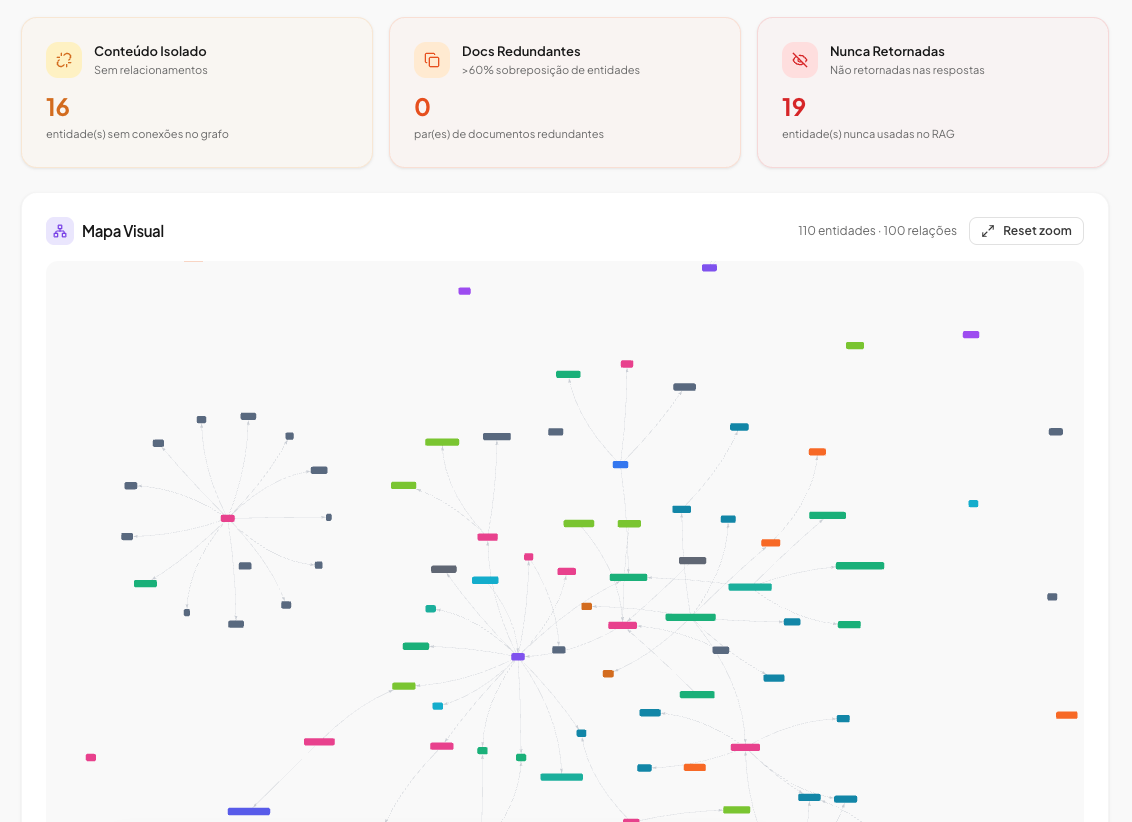
Documents in a folder can be linked to each other, forming a knowledge graph. Links are created during upload via linkedDocumentIds or ups (auto-link groups), or manually via the graph API. The graph helps AI agents understand document relationships.
ups: ["projeto-x"] on upload. The worker automatically links this document to all other documents in the same folder that share the same UP. No need to know document IDs upfront. See upload docs.
REST API
/api/v1/folders/:id/graph
Returns graph structure: nodes (documents) + edges (links).
/api/v1/folders/:id/graph/links
Create a link between two documents. Body: {"sourceDocumentId": "...", "targetDocumentId": "..."}.
/api/v1/folders/:id/graph/links/:linkId
Remove a link between documents.
/api/v1/folders/:id/graph/nodes/:documentId/chunks
Read content chunks of a specific graph node.
# 1. Get the graph
curl ${baseUrl}/folders/FOLDER_UUID/graph   -H "x-api-key: YOUR_API_KEY"

# 2. Read chunks of a linked document
curl ${baseUrl}/folders/FOLDER_UUID/graph/nodes/DOC_UUID/chunks   -H "x-api-key: YOUR_API_KEY"
MCP Integration
Connect remote LLMs, AI agents, or MCP clients to query your RAG via the Model Context Protocol. Uses the same authentication (API key) and rate limits as the REST API.
Endpoint
Authentication
Use header x-api-key: YOUR_API_KEY (rag-service only).
Plano
Disponível apenas para planos Pro, Business e Enterprise.
Tool: rag_query
Query the RAG. Parameters: question (required), folderId, filters, topK.
Tool: rag_list_folders
List all folders. No parameters. Returns folders array with id, name, description.
Tool: unlink_documents
Remove a link between two documents. Parameters: folderId, sourceDocumentId, targetDocumentId.
Tool: rag_graph_explore
Explore document relationships in a folder. Parameters: folderId (required). Returns nodes (documents with chunk counts) + edges (links).
Tool: rag_read_document
Read content chunks of one or more documents. Parameters: folderId (required), documentIds[] (required, 1-10 UUIDs). Returns up to 50 chunks per document.
Example — Full agentic flow
# 1. Discover folders
curl -X POST ${baseUrl}/mcp \
  -H "x-api-key: YOUR_API_KEY" \
  -H "Content-Type: application/json" \
  -d '{
    "jsonrpc": "2.0",
    "id": 1,
    "method": "tools/call",
    "params": {
      "name": "rag_list_folders",
      "arguments": {}
    }
  }'

# 2. Explore document relationships in a folder
curl -X POST ${baseUrl}/mcp \
  -H "x-api-key: YOUR_API_KEY" \
  -H "Content-Type: application/json" \
  -d '{
    "jsonrpc": "2.0",
    "id": 2,
    "method": "tools/call",
    "params": {
      "name": "rag_graph_explore",
      "arguments": { "folderId": "FOLDER_UUID" }
    }
  }'

# 3. Read content of linked documents
curl -X POST ${baseUrl}/mcp \
  -H "x-api-key: YOUR_API_KEY" \
  -H "Content-Type: application/json" \
  -d '{
    "jsonrpc": "2.0",
    "id": 3,
    "method": "tools/call",
    "params": {
      "name": "rag_read_document",
      "arguments": {
        "folderId": "FOLDER_UUID",
        "documentIds": ["DOC_UUID_1", "DOC_UUID_2"]
      }
    }
  }'

# 4. Query the RAG for answers
curl -X POST ${baseUrl}/mcp \
  -H "x-api-key: YOUR_API_KEY" \
  -H "Content-Type: application/json" \
  -d '{
    "jsonrpc": "2.0",
    "id": 4,
    "method": "tools/call",
    "params": {
      "name": "rag_query",
      "arguments": { "question": "What is the contract duration?", "folderId": "FOLDER_UUID" }
    }
  }'
Response format
JSON-RPC 2.0. Tool result contains answer, sources, tokens, confidence, conversationId.
Rate limit
Same as REST API (per plan). Headers: X-RateLimit-Limit, X-RateLimit-Remaining, X-RateLimit-Reset.
Error codes (JSON-RPC)
| Code | Meaning |
|---|---|
| -32001 | Missing or invalid API key |
| -32002 | Forbidden (host restriction) |
| -32003 | MCP disponível a partir do plano Pro |
| -32005 | Rate limit exceeded |
| -32600 | Request entity too large (max 256KB) |
| -32603 | Internal server error |
/api/v1/rag/ask
Ask a question and get relevant document chunks (retrieve-only, default) or an AI-generated answer (when synthesize: true).
By default the endpoint only runs vector similarity search and returns sources and confidence — no LLM call.
Stateless endpoint: Every call creates a new conversation record for audit trail. For multi-turn chat with conversation history, use Conversations API instead.
Default (retrieve-only)
With synthesize: true
Body (application/json)
| Field | Type | Required | Description |
|---|---|---|---|
| question | string | required | Your question (1-10,000 chars) |
| folderId | UUID | optional | Restrict search to a specific folder |
| filters | array | optional | Metadata filters (max 10). Each: { field, operator, value } |
| synthesize | boolean | optional | If true, runs the LLM and returns answer, tokens, conversationId. Omitted or false = retrieve-only (sources + confidence). |
Filter Operators
| Operator | Description | Example |
|---|---|---|
| = | Equal | {"field":"status","operator":"=","value":"active"} |
| != | Not equal | {"field":"status","operator":"!=","value":"archived"} |
| > | Greater than | {"field":"amount","operator":">","value":1000} |
| contains | Contains (case-insensitive) | {"field":"client","operator":"contains","value":"abc"} |
| in | In list | {"field":"type","operator":"in","value":["a","b"]} |
| between | Range | {"field":"amount","operator":"between","value":[1000,5000]} |
Example
curl -X POST ${baseUrl}/rag/ask \
  -H "x-api-key: YOUR_API_KEY" \
  -H "Content-Type: application/json" \
  -d '{
    "question": "What is the contract duration?",
    "folderId": "FOLDER_UUID"
  }'
# Default: returns sources + confidence. Add "synthesize": true for answer + tokens + conversationId.
const res = await fetch("${baseUrl}/rag/ask", {
  method: "POST",
  headers: {
    "x-api-key": "YOUR_API_KEY",
    "Content-Type": "application/json",
  },
  body: JSON.stringify({
    question: "What is the contract duration?",
    folderId: "FOLDER_UUID",
  }),
});

const data = await res.json();
// Default: data.sources, data.confidence. With synthesize: true also data.answer, data.tokens, data.conversationId
console.log(data.sources, data.confidence);
import requests

res = requests.post(
    "${baseUrl}/rag/ask",
    headers={
        "x-api-key": "YOUR_API_KEY",
        "Content-Type": "application/json",
    },
    json={
        "question": "What is the contract duration?",
        "folderId": "FOLDER_UUID",
    },
)

data = res.json()
# Default: sources, confidence. Add "synthesize": True for answer, tokens, conversationId
print(data["sources"], data["confidence"])
Response 200 OK
Default (retrieve-only):
{
  "sources": [
    { "chunkId": "...", "content": "...", "distance": 0.12, "documentId": "..." }
  ],
  "confidence": 0.88
}
With synthesize: true: adds answer, tokens, conversationId. With x-api-key, sources may be omitted in the synthesized response; with JWT (dashboard), sources is included.
Response Fields
sources
Retrieved chunks (chunkId, content, distance, documentId). Always present.
confidence
Heuristic retrieval confidence score (0-1). Higher = better match between question and retrieved chunks. Always present.
answer
The AI-generated answer. Only when synthesize: true.
tokens
Token usage (prompt + completion). Only when synthesize: true.
conversationId
Inbox conversation ID (message history). Only when synthesize: true.
Conversations (Multi-turn)
StatefulFor chat interfaces that need conversation history. Create a conversation once, then send multiple questions — the LLM receives the full message history for context-aware answers.
Step 1 — Create a conversation
/api/v1/conversations
Returns a conversation object with id. Use this ID for subsequent questions.
Step 2 — Send questions
/api/v1/conversations/:id/ask
The LLM receives the last 10 messages as context. Supports SSE streaming via Accept: text/event-stream header.
Webhooks
Pro+Receive real-time notifications when events happen in your account. Configure endpoints to receive HTTP POST callbacks with event payloads.
/api/v1/webhooks/endpoints
| Event | Description |
|---|---|
document.ready | Document processed and ready for queries |
document.error | Document processing failed |
conversation.created | New conversation created |
conversation.message.created | New message in a conversation |
scraping.completed | Web scraping finished successfully |
scraping.error | Web scraping failed |
Deliveries are retried up to 5 times with exponential backoff. Each delivery includes an HMAC-SHA256 signature for verification.
Error Codes
| Code | Meaning | Fix |
|---|---|---|
| 400 | Invalid request body or params | Check required fields and types |
| 401 | Invalid or missing API key | Verify x-api-key header |
| 403 | Plan quota exceeded | Upgrade plan or wait for monthly reset |
| 404 | Resource not found | Check folderId/documentId |
| 429 | Rate limit exceeded | Wait for Retry-After seconds |
Rate Limits
| Plan | Requests/min | Queries/month | Documents |
|---|---|---|---|
| Free | 20 | 150 | 3 |
| Starter | 60 | 1,500 | 30 |
| Pro | 100 | 4,000 | 150 |
| Business | 300 | 8,000 | 500 |
| Enterprise | 1,000 | Unlimited | Unlimited |
Rate limit headers are included in every response: X-RateLimit-Limit, X-RateLimit-Remaining, X-RateLimit-Reset